Transfer Log
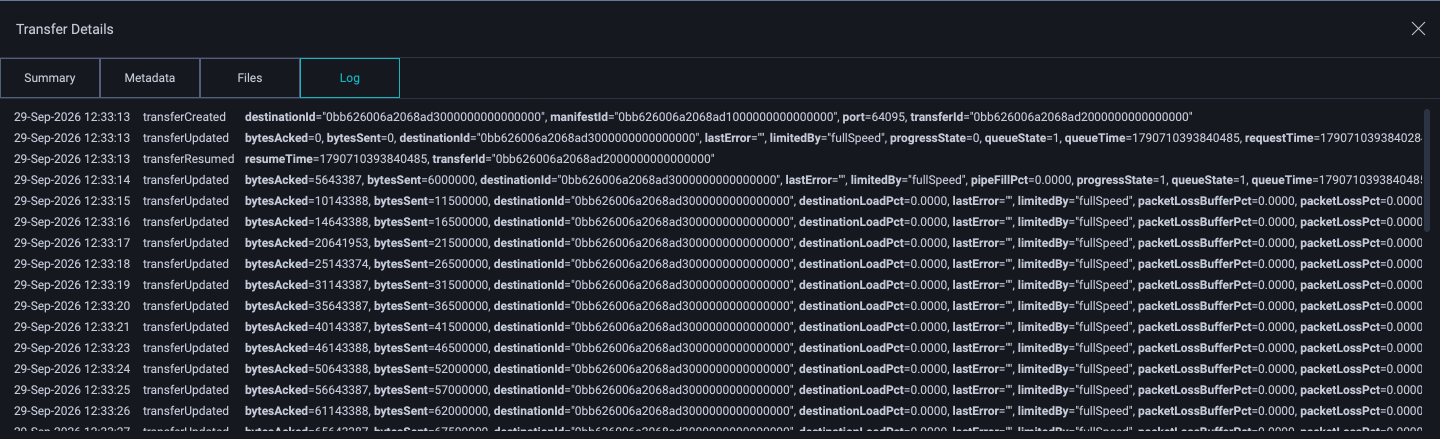
The Transfer Log is part of Transfer Details.
Clipboard
The Transfer Log supports the clipboard copy operation. To copy information from the log:
Use the left mouse button to select any row, or series of rows, from the table in the Transfer Log.
Press the Control,⌘ + C keyboard shortcut.
The selected items will be copied to the clipboard. Rows will be separated by a newline character. For each row, each key/value pair value will be separated by a comma.
The text below shows a sample of how the log is represented when copied.
05-May-2017 17:54:24, transferCreated, destinationId="d64061:8886", manifestId="97a5ef150225423d0100000000000000", port=8886, transferId="97a5ef150225423d0200000000000001"
05-May-2017 17:54:24, transferUpdated, bytesAcked=0, bytesSent=0, destinationId="d64061:8886", lastError="", limitedBy="fullSpeed", progressState=0, queueState=1, queueTime=1494032064378288, requestTime=1494032064378243, sharing=false, totalBytes=204041671, transferDataSendRate=0.0000, transferFileReadRate=0.0000, transferId="97a5ef150225423d0200000000000001", transferNetSendRate=0.0000, transferSendRate=0.0000, transferThroughputRate=0.0000, urgency="medium"
05-May-2017 17:54:24, transferResumed, resumeTime=1494032064378288, transferId="97a5ef150225423d0200000000000001"
05-May-2017 17:54:25, transferUpdated, bytesAcked=28311552, bytesSent=52408824, destinationId="d64061:8886", lastError="", limitedBy="fullSpeed", progressState=1, queueState=1, queueTime=1494032064378288, requestTime=1494032064378243, sharing=false, startTime=1494032064378429, totalBytes=204041671, transferDataSendRate=419270592.0000, transferFileReadRate=452984832.0000, transferId="97a5ef150225423d0200000000000001", transferNetSendRate=430000000.0000, transferSendRate=419270592.0000, transferThroughputRate=226492416.0000, urgency="medium"